
DR Dominoes Controls and Mobile UI
Tap cleanly, read the board, and finish turns before the timer.
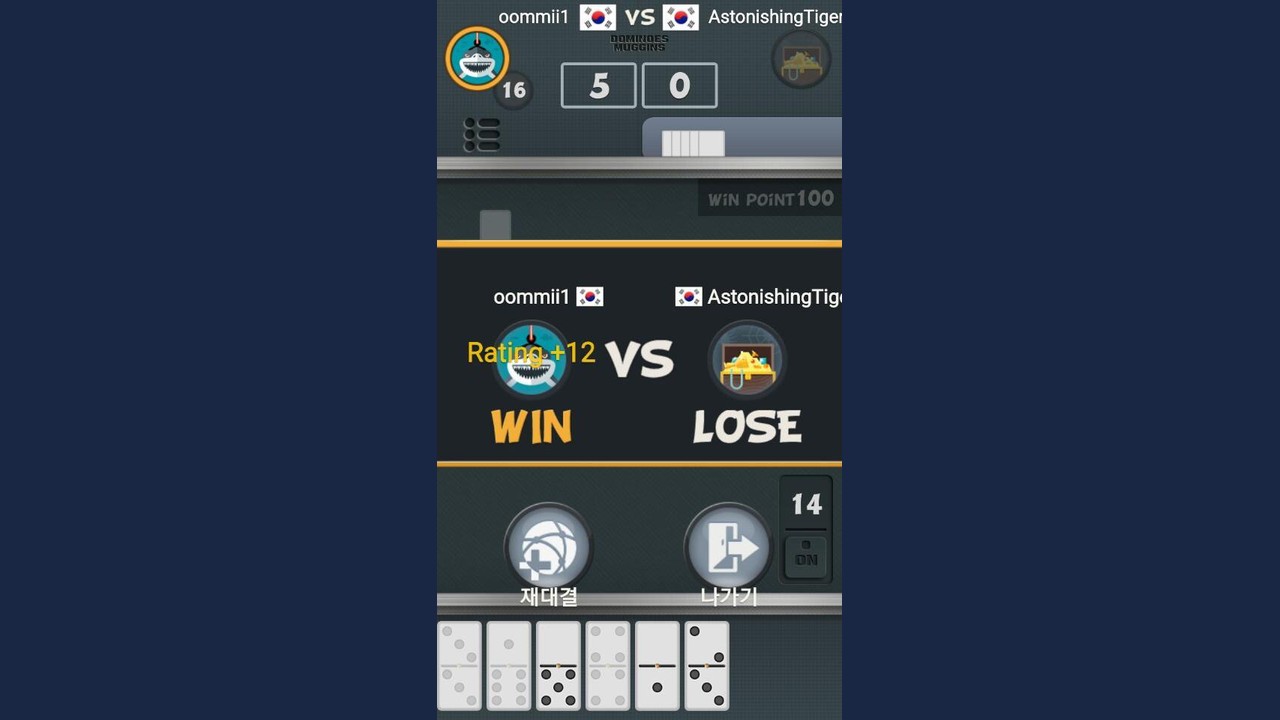
DR Dominoes is built for phones and tablets: a full double-six Dominoes layout compressed into a small viewport with tap targets, a turn timer online, and menus around free, ad-supported play from SUD Inc. / Studio UpDown. This controls guide focuses on practical UI habits—how to select tiles, confirm ends, read the board, and avoid mis-taps that look like blunders (or worse) in multiplayer. Pair it with Getting Started for the day-one path and How to Play Dominoes for legality.
Core input model: tap to play
Typical flow:
- Study the open ends before touching anything.
- Tap the tile in your hand you intend to play.
- Tap the matching open end / highlighted target on the board (or drag, if your build uses drag-and-drop).
- Confirm if the client asks for confirmation.
- Watch the score popup and re-read the new open ends.
Do not reverse steps 1 and 2. Selecting a tile first biases you into forcing that tile even when another leave is safer—especially in Muggins / All Fives and other scored modes.
Reading the board on a small screen
Chains fold, spinners sprout arms, and tiles shrink. Before each of your turns:
- Identify every open tip, including blanks
- Locate the spinner if one exists (see Scoring and Spinners)
- Zoom or pan if the app supports gestures—pinch to zoom, drag empty space to pan
- Rotate only if landscape is stable on your device; a bad rotation can reset your mental map mid-timer
If you cannot see an arm, you cannot score correctly. Miscounts start as visibility problems.
Hand tray and legal highlights
Many builds dim illegal tiles or highlight legal ones when an end is selected. Use highlights as assistants, not autopilot. A highlighted tile is legal, not good. Strategy still comes from Strategy and mode pages like All Threes or Fives and Threes.
When multiple ends are open, make sure the highlight matches the end you intended. Playing a 5 onto the wrong 5-arm can change the sum dramatically on spinner boards.
Turn timers
Online matches impose a clock. Habits that save games:
- Think during the opponent’s animation and tile placement
- Pre-choose a primary and backup tile
- Leave two seconds for careful targeting so you do not drop on the wrong arm
- If you are always at 0:01, your counting is too slow—drill offline sums
More timer and queue context lives in Online Multiplayer.
Menus, modes, and settings
From the main menu you should be able to reach:
- Mode select (All Fives / Muggins, All Threes, Fives and Threes, plus any other offered tables)
- Offline / singleplayer practice
- Online matchmaking
- Settings (sound, interaction options if available)
- Help or legal/store links as provided by the client
Learn where resign / exit lives before you need it. Rage-tapping the wrong control during an ad interstitial is a common way to leave a match uncleanly. Because the app is free with ads, expect interruptions around match boundaries; wait for the UI to settle before hammering the screen.
Sound and haptics
If taps include sound cues or light haptics, use them as confirmation that the client registered input—not as proof the correct end was hit. Visual confirmation of the new tip always wins.
Accessibility and comfort tips
- Increase system font size only if it does not break the hand tray layout
- Keep brightness high enough to distinguish pip patterns quickly
- Clean the screen; oily glass causes drift taps on small tiles
- Sit with stable thumbs; playing one-handed on a bouncing bus is how
[3|5]becomes a mystery move - Take breaks; fatigue destroys end-reading before it destroys raw rules knowledge
Platform differences
Android package com.ansangha.drdominoes has seen active updates (including 1.28 in July 2025). iOS builds have historically been older (around 1.25 in prior notes). Button labels, gesture polish, and ad placement can differ. If a control described here does not exist on your build, check the Updates Hub and your store version before assuming a wiki error.
Control mistakes that cost points
- Tapping a tile before reading the post-opponent board
- Confirming too fast when two ends share a number
- Ignoring zoom on spinner arms
- Confusing “highlighted = recommended” with “highlighted = legal”
- Burning the timer on menu tourism mid-match
- Practicing only online, where mis-taps and weak counting compound
A five-minute control warm-up
- Open an offline All Fives table from the path in Getting Started.
- After every AI play, pan across the whole layout and name each open end aloud.
- Deliberately cancel a selection once to learn the cancel affordance.
- Play three tiles as slowly as needed for perfect targeting.
- Play three tiles at online speed without sacrificing targeting.
That warm-up transfers directly into cleaner multiplayer turns.
How controls support strategy
Good control hygiene frees attention for counting and denial. Bad hygiene forces you to spend the timer fighting the UI. Master taps, then invest brainpower in Strategy and the Tier List Hub. The Dominoes does not change because the screen is small—but the error rate does, unless you train for it.
When someone asks how to play on their phone, send them here for UI and Getting Started for the learning path. When they ask why a play scored, send them to the variant and scoring pages instead of describing button positions.
Frequently Asked Questions
Quick answers to the most common questions.
How do I play a tile in DR Dominoes?
Read the open ends, select your tile, then tap the matching board end (or drag, if your build supports it) and confirm if asked.
Why did my legal tile play on the wrong end?
On spinner boards multiple ends can share a number. Zoom, pan, and target the specific arm you intend before confirming.
What should I practice before playing online?
Offline tap accuracy plus open-end counting. Timers punish slow math and sloppy targeting together.
Where do I change modes or exit a match?
Use the main menu for mode select and learn the resign/exit control before you need it mid-session.
Which guide should I read next?
Return to Getting Started for the full day-one path, then Strategy once your taps are clean.