
DR Dominoes Android vs iOS Client Versions
Android 1.28 (Jul 2025) bugfixes vs older iOS baselines—and what still matches.
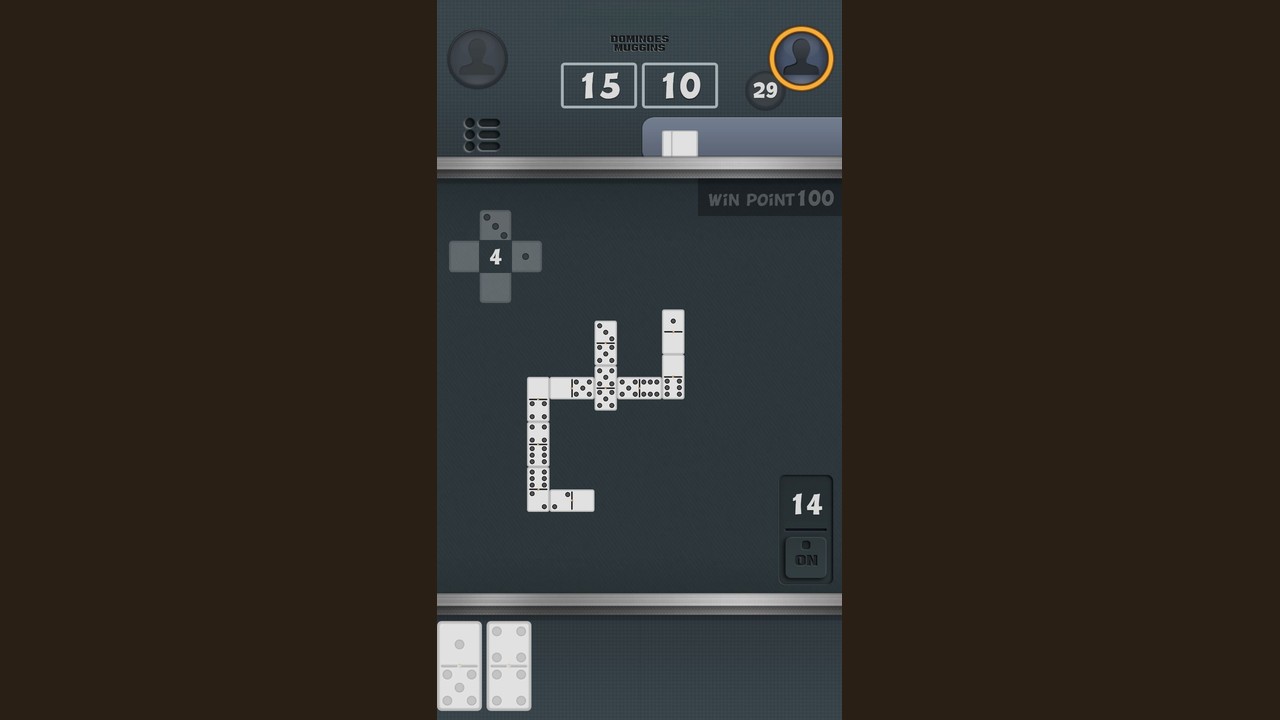
DR Dominoes is a free Android and iOS dominoes app from SUD Inc. (Studio UpDown), supported by ads, built on the classic double-six set of 28 tiles. Friends often notice that menus, patch timing, or small UI details do not match across phones. That is usually a client version gap, not a different game. This page compares the Android and iOS lines called out on this wiki, shows how to check your build, explains why screenshots diverge, and clarifies what does transfer when you play the same scoring family: Muggins / All Fives, All Threes, and Fives and Threes.
Return to the Updates Hub for the condensed patch snapshot. Official store and support links live on the Links Hub. If you are brand new, start with Getting Started before chasing version strings.
Version snapshot (wiki reference)
| Platform | Version highlighted here | Date context | Player takeaway |
|---|---|---|---|
| Android | 1.28 | July 2025 | Maintenance release focused on bugfixes and stability |
| iOS | ~1.25 | Older historical baseline | Confirm your App Store build; do not assume day-one parity with Android |
Store listings can move after this page is written. Always trust the version string on your device after an update, then compare it to friends and to this table.
Why Android and iOS can feel different
Cross-platform free apps rarely ship identical binaries on the same day. Common reasons players see mismatches:
- Release cadence — Android has been more actively updated in the periods tracked here (through 1.28 in Jul 2025), while iOS has historically sat on older lines such as 1.25.
- Store review timing — Apple and Google approve builds on different clocks.
- UI chrome — System fonts, safe areas, and button hitboxes differ even when rules are identical.
- Ads and session flow — Ad networks and interstitial timing can feel different by OS without changing tile math.
- Matchmaking population — Queues can feel faster or slower by platform and hour; that is a network/population effect, not proof that scoring rules changed. See online mode for live-table habits.
None of those points rewrite All Fives arithmetic. They do change expectations when you compare phones side by side.
How to check your version
Android
- Open the Google Play Store listing for DR Dominoes (package
com.ansangha.drdominoes). - Confirm the developer shows SUD Inc.
- Note the installed version; after updating, look for 1.28 or newer.
- If the app exposes an About / version row in settings, screenshot it before writing support.
- Cold-start the app once after install completes.
iOS
- Open the App Store page for DR Dominoes.
- Confirm you are on the official listing, not a similarly named clone.
- Note the version shown for your install—historically players have been on builds around 1.25 while Android moved ahead.
- Update when a newer build appears, then relaunch.
- Play one short offline hand before a long online block so you know controls still feel right.
Quick friend checklist
When someone says “my screen looks different,” ask for:
- Platform (Android or iOS)
- Exact version string
- Online vs offline mode
- Active variant (All Fives / All Threes / Fives and Threes)
That four-line checklist prevents hour-long arguments about “bugs” that are really mismatched clients.
Update steps that avoid half-installed headaches
Shared habits
- Prefer Wi-Fi for larger downloads.
- Do not force-kill the store mid-update.
- After updating, open the app once online if you use multiplayer, then smoke-test offline.
- If behavior is worse after a patch, note whether it started immediately after 1.28 (Android) or on your older iOS build before emailing support.
Android focus after 1.28
Treat 1.28 (Jul 2025) as a bugfix / stability milestone, not a rules rewrite. Expected player actions:
- Install from Play Store.
- Confirm queues and basic scoring feedback still feel normal.
- Keep using the same strategy pages—maintenance patches rarely change open-end math.
- If something is newly broken, capture platform + version + mode and contact updown.an@gmail.com (also listed on the Links Hub).
iOS focus on older baselines
- Do not assume every Android-only fix from mid-2025 is present yet.
- Compare features with Android friends only after both people share version strings.
- Rules knowledge still transfers: 28 tiles, same variant family, same need to sum open ends.
What transfers across platforms (rules and skills)
These stay consistent whether you are on Android 1.28 or an older iOS client:
- Free+ads model from SUD Inc.
- Double-six, 28-tile play
- Matching to open ends
- Scoring variants in the All Fives / All Threes / Fives and Threes family
- Value of offline counting drills before online pace
These may not match 1:1 across platforms:
- Exact menu labels or layout polish after a patch
- How recently a crash or UI glitch was fixed
- Perceived matchmaking wait times
- Ad frequency or placement feel
Skill transfer is almost total: a clean All Fives leave on Android is still a clean leave on iOS. Client cosmetics are what diverge first.
Why friends see different UI
Typical “different UI” reports map to:
- One player updated, one did not — most common.
- Android vs iOS chrome — system UI around the same board.
- Different mode entry path — online queue screens vs offline practice menus.
- Variant confusion — scoring highlights that look “wrong” because the table is All Threes, not All Fives.
- Display scale / accessibility settings — larger text can reflow buttons.
Before blaming the developer, align versions and variants. Then, if a true defect remains, report it with evidence instead of vague “game is broken” messages.
Online waits, fairness noise, and version context
Some reviews mention long online matchmaking waits (players sometimes cite stretches around 15–20 minutes in quiet pools) and occasional cheat accusations. Version gaps matter here because:
- A friend on an older build may lack a stability fix you already have.
- Accusations based on unfamiliar UI animations are often false alarms.
- Slow queues are usually population and time-of-day issues, not proof your OS is “shadowbanned.”
Practical response: warm up offline while you wait, keep sessions short, and read deeper queue etiquette on the modes and multiplayer pages. Prefer calm reports with version/mode details over public speculation.
Recommended path after comparing versions
- Update Android to 1.28+ when available; update iOS whenever the App Store offers a newer build than your install.
- Skim the Updates Hub so you know what this wiki currently highlights.
- Drill one offline All Fives hand (Getting Started if you need a softer onboarding).
- Queue online with a time box (online mode).
- Keep official links and support bookmarked for real defects.
Cross-links
- Updates Hub — patch snapshot and update hygiene
- Links Hub — stores, Studio UpDown, updown.an@gmail.com
- Online multiplayer mode — live-table habits
- Getting Started — first-week onboarding
DR Dominoes remains one free SUD Inc. double-six experience on both stores. Android 1.28 in July 2025 is the bugfix milestone to install; iOS players should verify against the older ~1.25 baseline before assuming feature parity. Check versions first, share the four-line checklist with friends, and let shared rules—not mismatched screenshots—drive your strategy.
Frequently Asked Questions
Quick answers to the most common questions.
What Android version does this wiki highlight?
Android 1.28 from July 2025, described as bugfixes and stability improvements. Confirm the live Play Store build on your device.
What about iOS versions?
iOS has historically lagged; this wiki notes an older ~1.25 baseline. Always read the App Store version on your phone before comparing with Android friends.
Do Android and iOS use different dominoes rules?
No. Both platforms use the same double-six 28-tile family and the All Fives / All Threes / Fives and Threes scoring variants. Clients can differ in patch timing and UI polish.
How do I check my DR Dominoes version?
Use the Google Play or App Store listing for your install, and screenshot any in-app About/version row if present before contacting support.
Who do I contact if a version-specific bug appears?
Email updown.an@gmail.com with platform, exact version, online/offline mode, and variant. Official links are collected on the Links Hub.