
DR Dominoes Patch Notes & Client Versions
Android 1.28 (Jul 2025), iOS 1.25 baseline, and how to stay current.
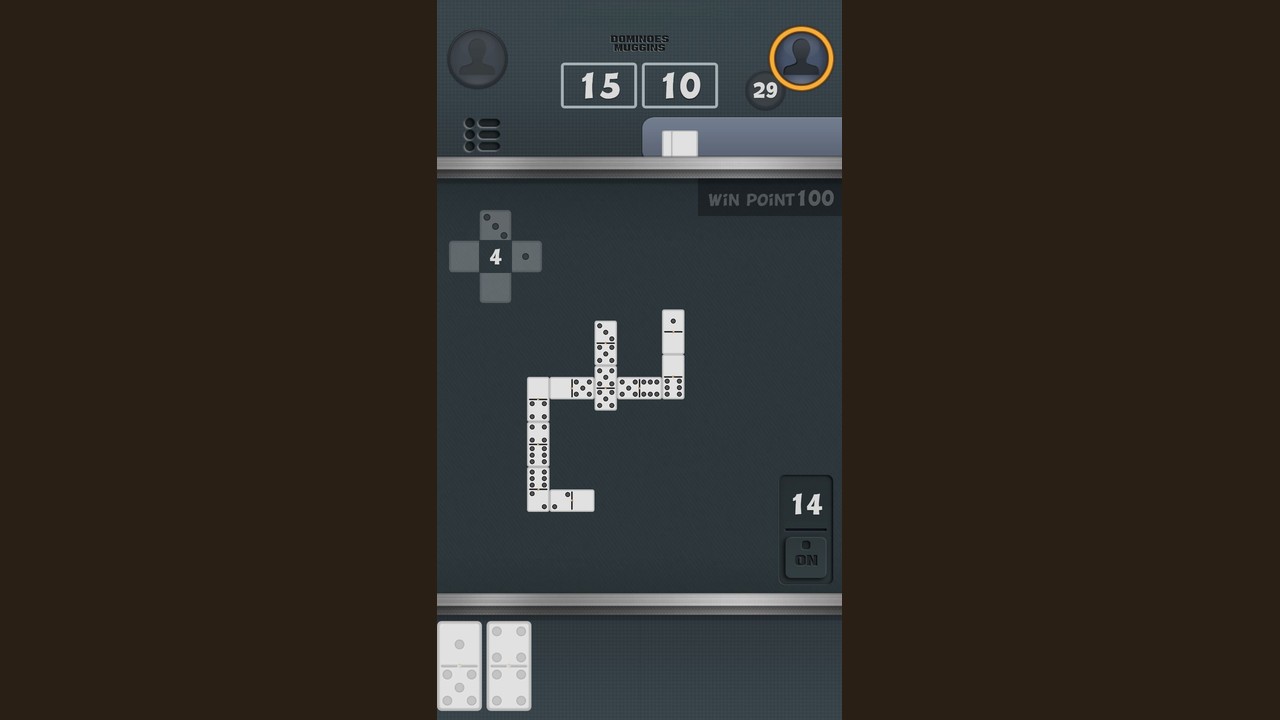
This Updates Hub tracks client versions for DR Dominoes, the free Android and iOS dominoes app from SUD Inc. (also associated with Studio UpDown). The game remains a classic double-six experience with 28 tiles, online and offline play, ads support, and scoring variants Muggins / All Fives, All Threes, and Fives and Threes. Patch notes here focus on what players should know before they queue or drill—especially the Android 1.28 release in July 2025 and the older iOS 1.25 baseline.
Deep dive: compare store builds, update steps, and what rules still match in Android vs iOS Versions. Use that page when friends see different UI or when you need a checklist before emailing support.
For strategy after you update, visit the Guides Hub, Tier List Hub, Modes Hub, and Tools Hub. Official download links live on the Links Hub.
Latest snapshot
| Platform | Version highlighted here | Date context | Notes |
|---|---|---|---|
| Android | 1.28 | Jul 2025 | Bugfixes and stability improvements |
| iOS | 1.25 | Older baseline (historically far behind Android’s cadence) | Confirm your App Store build; do not assume feature parity day-one |
Store listings can move faster than wiki pages. Always trust the version string on your device after an update, then compare it to this hub.
Android 1.28 (July 2025) — changelog style
Highlights
- Minor bug fixes aimed at stability during regular play sessions
- Improvements under the hood—expect fewer odd interruptions rather than a redesigned ruleset
- No indication that the core double-six rules or scoring variants were replaced
What did not change (player expectations)
- Still free with ads
- Still online + offline
- Still All Fives / All Threes / Fives and Threes family play on 28 tiles
- Still published by SUD Inc.
If a future patch alters scoring UI or matchmaking, this hub should gain a dated section. Until then, treat 1.28 as a maintenance release: update for smoothness, keep using the same strategy pages.
Recommended actions after installing 1.28
- Launch once online to confirm login/queue paths still feel normal.
- Play one offline All Fives hand to verify controls and scoring feedback.
- Skim Score Helper if you are returning after a long break.
- Resume your usual online or offline routine.
iOS 1.25 — older client notes
iOS players should know the public cadence has historically lagged Android. The 1.25 line is the older reference point called out on this wiki’s facts sheet. Practical advice:
- Check the App Store version number on your device before comparing experiences with Android friends.
- Do not assume every Android-only fix from mid-2025 is present on iOS yet.
- Rules knowledge still transfers: 28 tiles, same variant family, same need to sum open ends.
- If something looks broken only on one platform, capture the version string before emailing support (see Links Hub).
How players should update
Android
- Open the Google Play Store listing for DR Dominoes.
- Tap Update if 1.28 (or newer) is available.
- Wait for install completion—avoid multitasking kills mid-update.
- Cold-start the app once.
- Confirm the version in the store page or in-app about screen if shown.
iOS
- Open the App Store page for DR Dominoes.
- Update when a newer build than your installed 1.25-era client appears.
- Restart the app after updating.
- Test offline play before a long online session.
General tips
- Update on Wi-Fi when possible.
- After big OS upgrades on your phone, reopen DR Dominoes once before ranked-feeling sessions.
- If the app misbehaves after an update, reinstall only after noting your platform and version for support.
Version history (condensed)
| Era | Why it matters to players |
|---|---|
| Android 1.28 (Jul 2025) | Current maintenance focus—bugfixes/improvements |
| Android 1.27 / 1.26 (prior year line) | Older stability steps leading into 1.28 |
| iOS 1.25 | Older baseline—verify before cross-platform comparisons |
This table is a wiki orientation aid, not a substitute for store changelogs.
Did patches change strategy?
Maintenance releases rarely rewrite All Fives math. Keep studying:
If a future update adds a variant or changes spinner handling, prioritize a fresh rules pass before climbing online.
Reporting issues after an update
When something breaks:
- Note platform (Android/iOS) and exact version.
- Note mode (online vs offline) and variant.
- Reproduce once offline if possible.
- Contact support via the address listed on the Links Hub (
updown.an@gmail.com). - Include whether the issue began immediately after updating to 1.28 (Android) or on the older iOS build.
Staying aligned with the rest of the wiki
Updates keep the client healthy; content pages keep your decisions healthy. After patching:
- Warm up offline (offline mode)
- Review counting (score helper)
- Queue online with one session goal (online mode)
DR Dominoes remains a free SUD Inc. board game with ads on Android and iOS. Android 1.28 in July 2025 is the bugfix milestone to install; iOS players should watch for builds beyond the older 1.25 line. Update first, then let the same 28-tile strategy pages do the rest.
Frequently Asked Questions
Quick answers to the most common questions.
What is the latest Android version covered here?
Android 1.28 from July 2025, described as minor bug fixes and improvements. Always confirm the live Play Store build on your device.
What about iOS?
This hub notes an older iOS 1.25 baseline. Check the App Store for your installed build before comparing features with Android.
Did version 1.28 change All Fives rules?
It is presented as a maintenance/bugfix release. Core double-six play and scoring variants remain the strategic foundation.
How should I update DR Dominoes?
Use Google Play on Android or the App Store on iOS, install the newest build, cold-start the app, then smoke-test offline before long online sessions.
Where do I report a post-update bug?
Contact support with platform, version, mode, and variant details. The Links Hub lists the Studio UpDown support email.
Where is the Android vs iOS comparison?
See the Android vs iOS Versions page linked near the top of this hub for build checks, update steps, and what transfers across platforms.