
DR Dominoes Official Links & Resources
Stores, Studio UpDown, support, privacy—plus a fan wiki disclaimer.
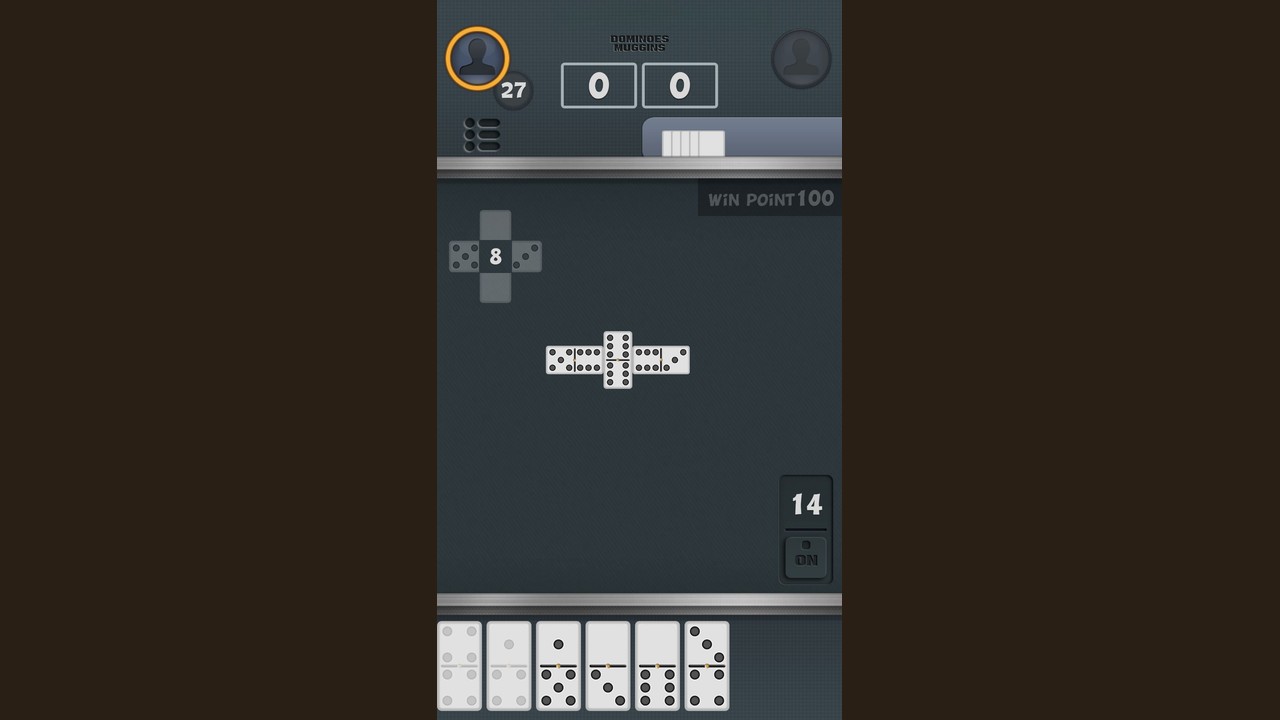
This Links Hub gathers official destinations for DR Dominoes (also styled Dr. Dominoes), the free Android and iOS board game from SUD Inc. / Studio UpDown. Use these anchors when you need to install the app, read privacy details, or contact support. The game uses a double-six set of 28 tiles, supports online and offline play with ads, and includes scoring variants Muggins / All Fives, All Threes, and Fives and Threes.
This website is a fan-made wiki. It is not operated by SUD Inc. or Studio UpDown. For authoritative store text, privacy language, and account issues, prefer the official links below.
Official downloads
- DR Dominoes on Google Play — Android install and update path (see Android 1.28, Jul 2025, on the Updates Hub)
- DR Dominoes on the App Store — iOS install path (historically noted around 1.25; confirm your device build)
After installing, warm up with offline practice or jump into online multiplayer. Mode comparisons live on the Modes Hub.
Studio UpDown & developer contacts
- Studio UpDown official site — developer / studio home for SUD Inc. titles
- Studio UpDown privacy page — privacy policy for the studio’s apps
- Email support at updown.an@gmail.com — player support contact listed with the store pages
When you write support, include platform (Android or iOS), exact app version, whether you were online or offline, and which variant you were playing (All Fives, All Threes, or Fives and Threes). That context shortens troubleshooting dramatically.
What this fan wiki covers
Use the rest of drdominoes.wiki for strategy and reference—not for legal policy:
- Guides Hub — rules and how-to articles, including Muggins / All Fives and strategy
- Tier List Hub — openings and tile priorities (not character tiers)
- Tools Hub and Score Helper — open-end counting tables
- Updates Hub — Android 1.28 bugfix notes and iOS baseline reminders
- Modes Hub — online vs offline overview
If a wiki tip disagrees with the live app after a patch, trust the app, then check Updates.
Fan wiki disclaimer (read this)
drdominoes.wiki is an unofficial fan resource. SUD Inc., Studio UpDown, Google Play, and Apple App Store trademarks belong to their respective owners. Store screenshots, version numbers, and support emails can change without notice. We aim for accurate, player-focused documentation of the free+ads double-six experience, but we do not speak for the developer.
Do not send account recovery requests to this wiki. Use updown.an@gmail.com or the in-store support channels.
How to verify you are on the real app
- Install only from Google Play or the App Store listing.
- Confirm the developer name shows SUD Inc.
- Prefer links that resolve through studioupdown.com for privacy reading.
- Be cautious with third-party APK mirrors; they are outside official support.
Suggested first visits after downloading
- Read privacy on the Studio UpDown privacy page if you care about data practices.
- Update via the correct store (Updates Hub explains why Android and iOS can differ).
- Drill counting with the Score Helper.
- Learn openings on Opening Moves.
- Choose a mode on the Modes Hub.
Support email etiquette
A useful message to updown.an@gmail.com looks like:
- Device model and OS version
- DR Dominoes version string
- Online or offline session
- Variant name
- What went wrong, plus whether it started after an update (for example, after Android 1.28)
Clear reports help maintainers more than screenshots alone.
Cross-links for returning players
Bookmark this Links Hub when you need stores or support, then return to gameplay pages for skill work. The 28-tile math does not live on the store page—it lives in your practice loop across offline boards, online tables, and the counting tools on this fan wiki.
DR Dominoes remains free with ads on Android and iOS, published by SUD Inc., with Studio UpDown as the public studio face. Keep official links handy, treat this wiki as community documentation, and enjoy the All Fives family with clearer resources than a store blurb alone can provide.
Frequently Asked Questions
Quick answers to the most common questions.
Is this wiki official?
No. drdominoes.wiki is a fan-made resource. For official installs, privacy, and support, use the Studio UpDown and store links on this page.
Where do I download DR Dominoes?
Use the Google Play listing for Android and the App Store listing for iOS linked above. The developer is SUD Inc.
How do I contact support?
Email updown.an@gmail.com with your platform, app version, mode, and variant details.
Where is the privacy policy?
Read the Studio UpDown privacy page at studioupdown.com/privacy, also linked from the store listings.
What should I read on this wiki after installing?
Start with the Modes Hub, Score Helper, and Updates Hub, then move into All Fives guides and strategy pages.